 MacTidy
Security
A level, not a pile of switches
Hardening guides hand you forty settings and leave you to work out which ones you will regret. MacTidy gives you five named destinations instead. Each one tells you what it changes, what it breaks, and who it is actually for.
Baseline
However your Mac came out of the box.
No changes. MacTidy will still tell you what it finds.
Safe
What every Mac should have. Nothing changes day to day.
Disk encryption, the firewall, automatic security updates and a proper screen lock. Nothing here breaks anything, and most Macs are already halfway there.
Safer
Closes the network and cuts the data trail.
Turns off sharing and remote access you probably forgot was on, stops your Mac answering strangers on public Wi-Fi, and clears the trail of what you have been doing.
Safest
Real friction, on purpose. You will notice this one.
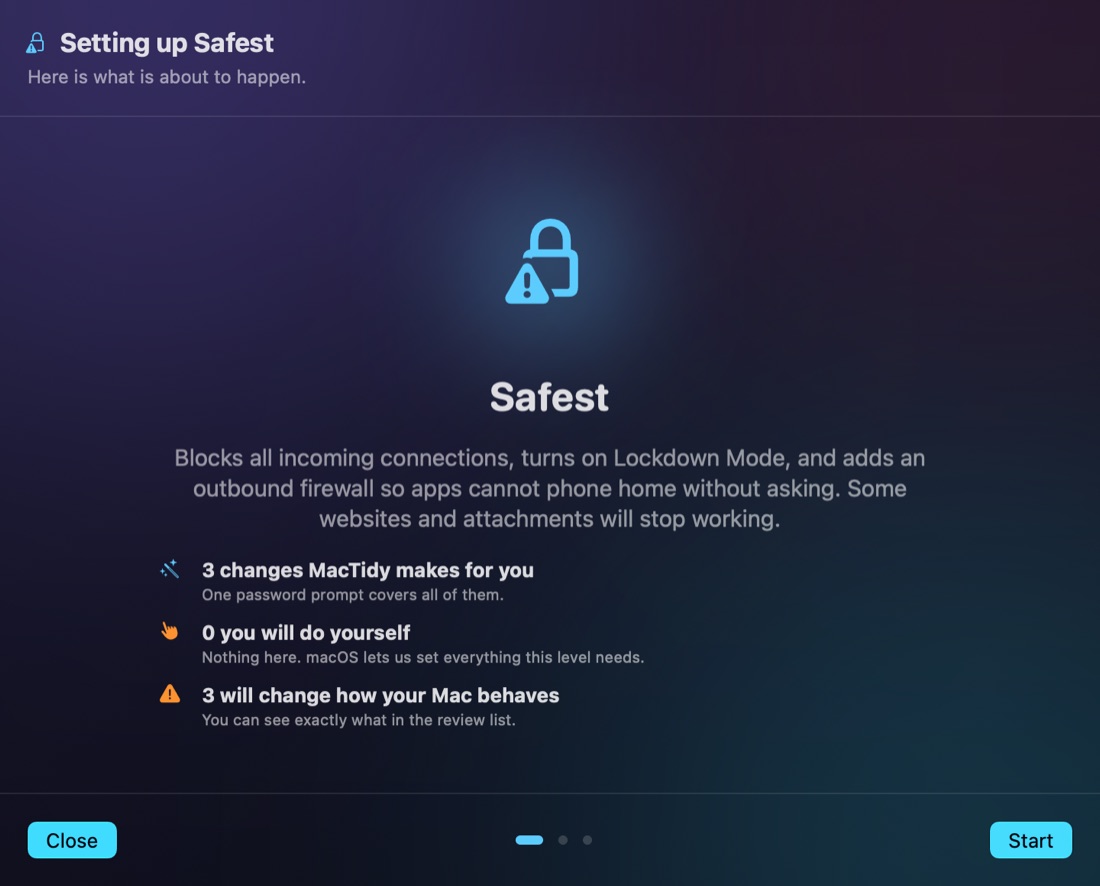
Blocks all incoming connections, turns on Lockdown Mode, and adds an outbound firewall so apps cannot phone home without asking. Some websites and attachments will stop working.
Extreme Lockdown
For people who expect to be targeted.
Everything above, plus end to end encrypted iCloud, no Siri, no third party system extensions, and automatic logout. Treat this as a deliberate trade of convenience for safety.
Most people want Safer
The app says so on the screen. It does not push you up the ladder, and it marks the top two levels as things you should only pick for a specific reason. A security tool that recommends its own maximum setting to everyone is selling something.
Before anything changes
Every setting has to earn it
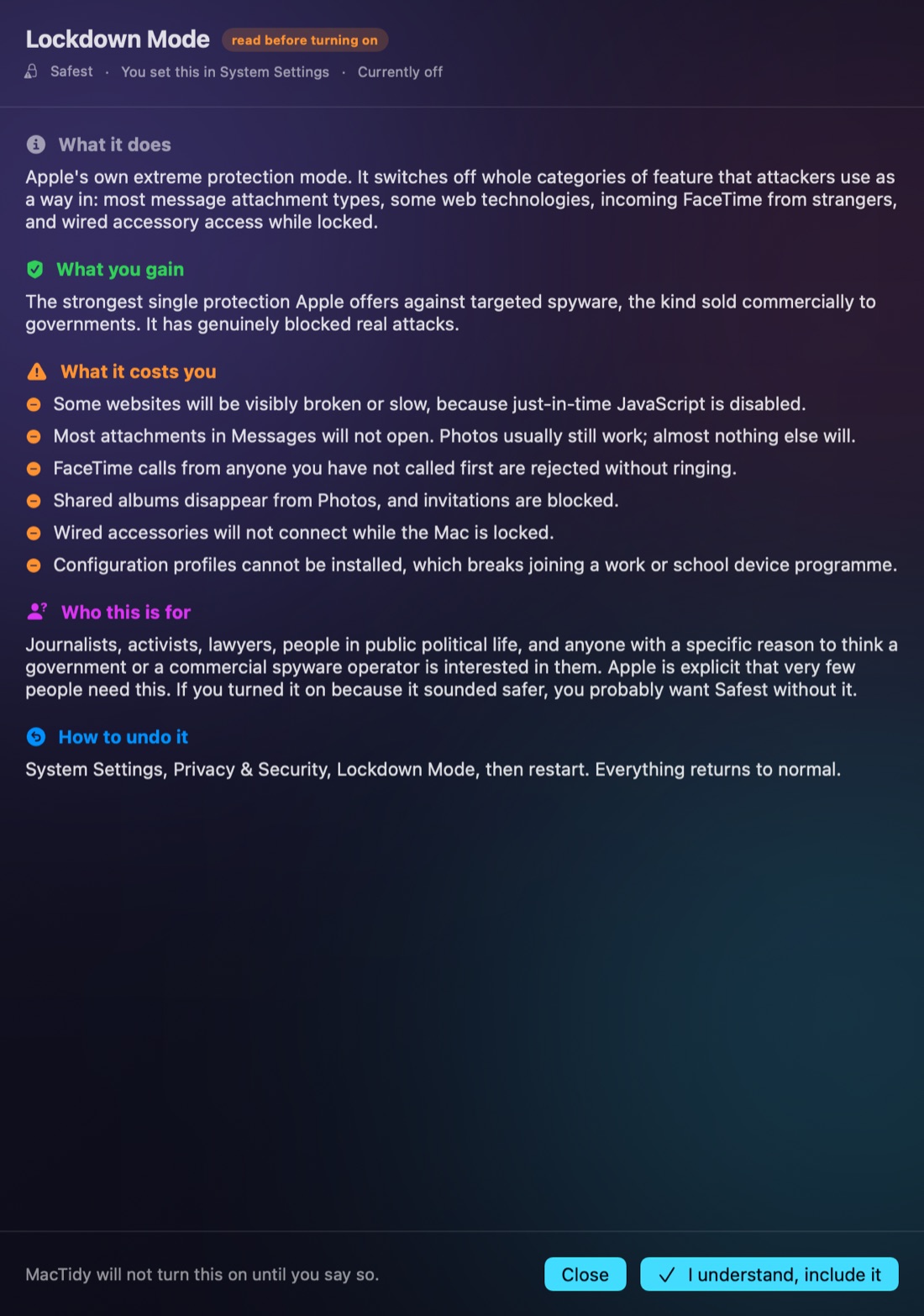
Open the explainer on any control and you get five things: what it does mechanically, what you gain, what it costs you, who it is for, and how to undo it. The costs are a specific list, not a warning triangle.
Take Lockdown Mode. MacTidy tells you that some websites will visibly break, most Messages attachments will not open, FaceTime calls from people you have not called first are rejected without ringing, shared albums disappear, wired accessories stop working while the Mac is locked, and configuration profiles cannot be installed.
Then it tells you that Apple is explicit that very few people need it, and that if you turned it on because it sounded safer, you probably want Safest without it.
Getting there
It does its half, then walks you through yours
macOS does not let any app change some of these settings. That is a good thing, and every tool that claims otherwise is either wrong or asking for permissions it should not have.
So MacTidy splits the job. It makes the changes it can make, behind a single password prompt. Then it takes the rest one step at a time, opens the exact settings pane for each, and re-checks when you come back.
Where it cannot read a setting back, it says so and asks you to confirm rather than pretending to verify it.
What it will not do
- It will not turn on a setting with a real cost because you picked a level. Those stay off until you read the explainer and say yes.
- It will not claim to have verified something it cannot see. Several settings are locked away from apps, and it tells you which.
- It will not promise that any level makes a Mac unbreakable. Levels reduce what an attacker can reach. That is all they do.